NDJI (NODAJI) is an Algorand asset you receive by converting GEM earned through learning inside the GlobalPiggy ecosystem. It is redeemed for goods in the GlobalPiggy store. It is not money. When someone wants to send you NDJI, there are three ways to receive it. No exchange account, and no other coin to buy first.
Already using the GlobalPiggy app? Step 1 is done. Start at step 2.
Way 1 (default): sign up in the GlobalPiggy web app and receive in its wallet
1. Sign up and create a wallet
- Open wallet.globalpiggy.org in your browser and sign up with your email. You sign in with a link sent to your email instead of a password. There is an adult check (date of birth).
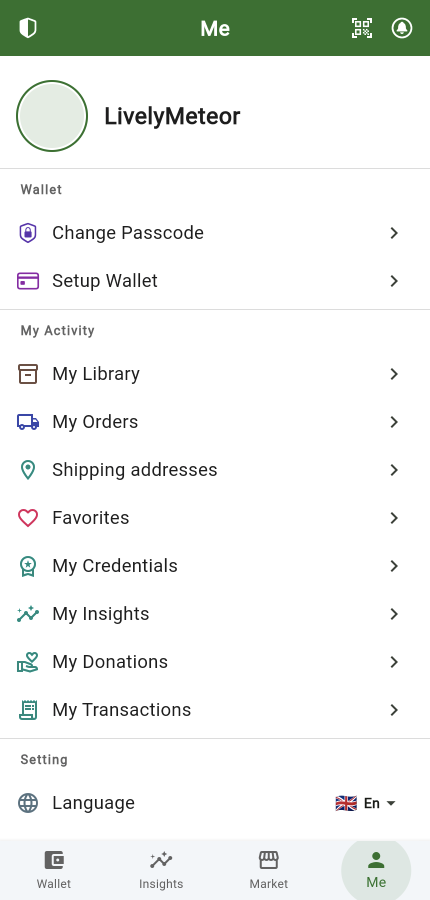
- Tap Me → Setup Wallet.
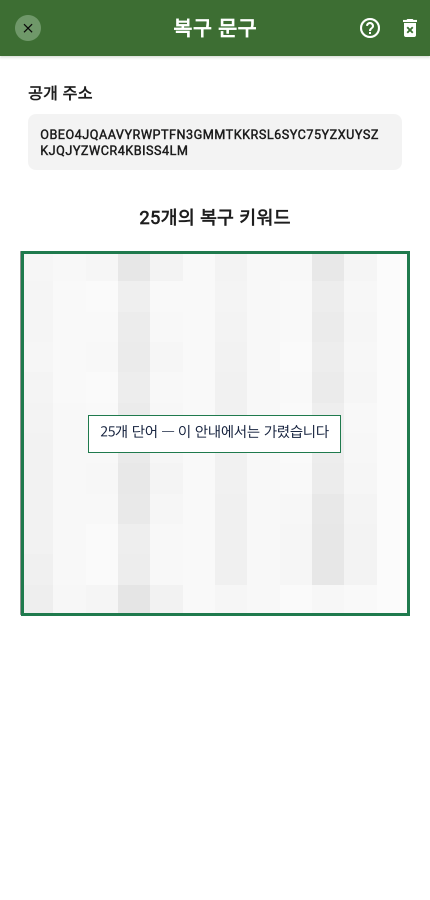
- Your recovery phrase (25 English words) is shown. Write it on paper, in order, and keep it somewhere safe. If you clear your browser data or change devices, this phrase is the only way to get the wallet back.
- Never show the recovery phrase to anyone. Global Piggy Inc. will never ask for it. Anyone who asks is an impostor.
2. Get ready to receive NDJI (once)
- Tap Me → Receive NDJI (one-time setup).
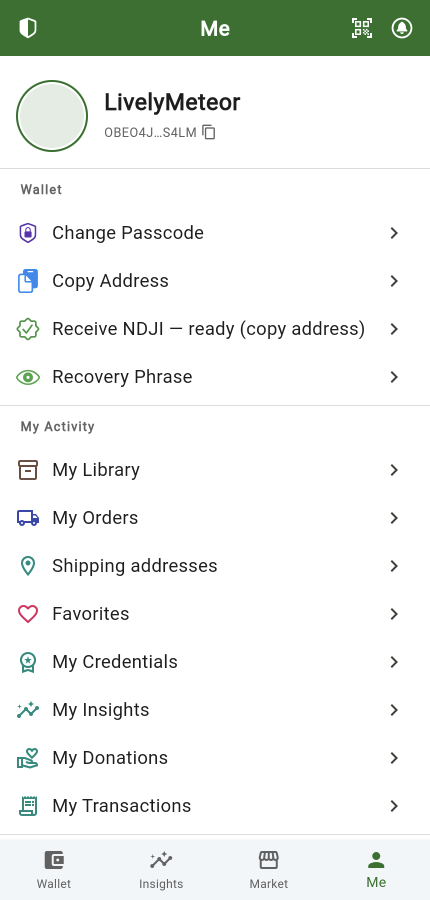
- After a few seconds you see "Opt-In Successful!", and the same row changes to "Receive NDJI — ready (copy address)".
- The small Algorand deposit and fee are paid by GlobalPiggy from operating funds. There is nothing for you to pay.
3. Share your address
- Tap Me → Copy Address (or "ready (copy address)"). A 58-character address of letters and digits is copied.
- Send the address to the person sending you NDJI, by email or message. Your address is safe to share — unlike your recovery phrase.
- When the NDJI arrives, your wallet home shows the NDJI amount in your balance, and the transaction history shows the receipt.
Way 2 (optional): import your GlobalPiggy wallet into your own Pera Wallet
A GlobalPiggy wallet is a standard Algorand account. Import the 25-word recovery phrase from Way 1 into Pera Wallet and the same address appears in Pera. Nothing is moved — it is one wallet seen from two apps — so no extra ALGO, no opt-in and no fee, and your balance is never split. The address you give the sender stays the same.
- In the GlobalPiggy web app open Me → Recovery Phrase and check the 25 words. They match what you wrote on paper.
- In Pera Wallet tap [+] on the home screen → Recover an account (on a fresh install: "I already have an account" → Recover an account), enter the 25-word passphrase in order and tap Recover. The account name is only a nickname on your phone.
- Check that the imported account's address matches the address on the GlobalPiggy Me screen, first and last four characters. If it differs, a word is out of order or misspelt.
- From now on NDJI that arrives shows the same balance in GlobalPiggy and in Pera. Pera lists it under the "NFTs" tab.
Caution. Type the recovery phrase only into Pera's import screen. Never save it in a notes app, message, photo or cloud, and never send it to anyone. After the import both devices hold the wallet's key: losing one does not lose the wallet, but if either one falls into someone else's hands, so does the wallet. Remove the account from any device you stop using.
Way 3 (optional): receive directly in a Pera Wallet you already use
For people who already keep an Algorand wallet. Algorand requires the receiver to add (opt in to) the asset first, which takes about 0.2 ALGO in deposit and fee. The sender can send you a small amount of ALGO (0.3) first, so if you have no ALGO, share your address before anything else.
- Pera home → [+ Add Asset]
- Type the asset ID
3700253787, digits only, into the search box. Do not search by name — other assets share the name. A different number is a different asset. - Tap [+] next to NODAJI (NDJI). Check that the issuing address starts and ends with
4WPP4ED2…IRKK6VA. - From the home screen, copy your address and send it to the sender.
Good to know: Pera lists this asset under the "NFTs" tab (assets with a logo and description are filed as collectibles). It is an ordinary asset shown in a different place, so do not add it again. Do not tap [Opt-out] on that screen — it removes the asset. The number in the list is in base units, so x1000000 equals 1 NDJI. To also see it in Overview, open the Assets filter (⚙︎) and turn on "Display NFTs in asset list".
Frequently asked questions
What is NDJI? An Algorand asset received by converting GEM inside the GlobalPiggy ecosystem, redeemed for goods in the GlobalPiggy store. It is not money and is not built to be used like money. NDJI redemption terms
Can I buy it on an exchange? Do I need ALGO first? Neither. NDJI is not listed on any exchange, and you do not need an exchange account to receive it. Ways 1 and 2 need no ALGO at all, and for Way 3 the sender sends you a small amount first. Anyone telling you to "buy it on an exchange" or "send coins first" is an impostor.
I lost my recovery phrase. If your device still works, the wallet keeps working. Open Me → Recovery Phrase, check it again and write it on paper. If both the device and the phrase are lost, the wallet cannot be recovered.
Someone is asking for my recovery phrase or password. That is an impostor. We never ask, under any circumstances. Do not share it, and report it through Contact.
I gave the wrong address. Blockchain transfers cannot be reversed. Always copy your address rather than typing it, and ask the sender to check the first and last four characters before sending.
This guide reflects the app screens as of November 2026; menu names may change with updates. Pera Wallet is a separate service unrelated to Global Piggy Inc., and its own terms apply. GEM and NDJI have no market price and cannot be exchanged for cash.